How to Use a Scientific Calculator for Trigonometry
Understand DEG/RAD mode, sin, cos, tan, inverse trig, and quick checks for triangle problems.
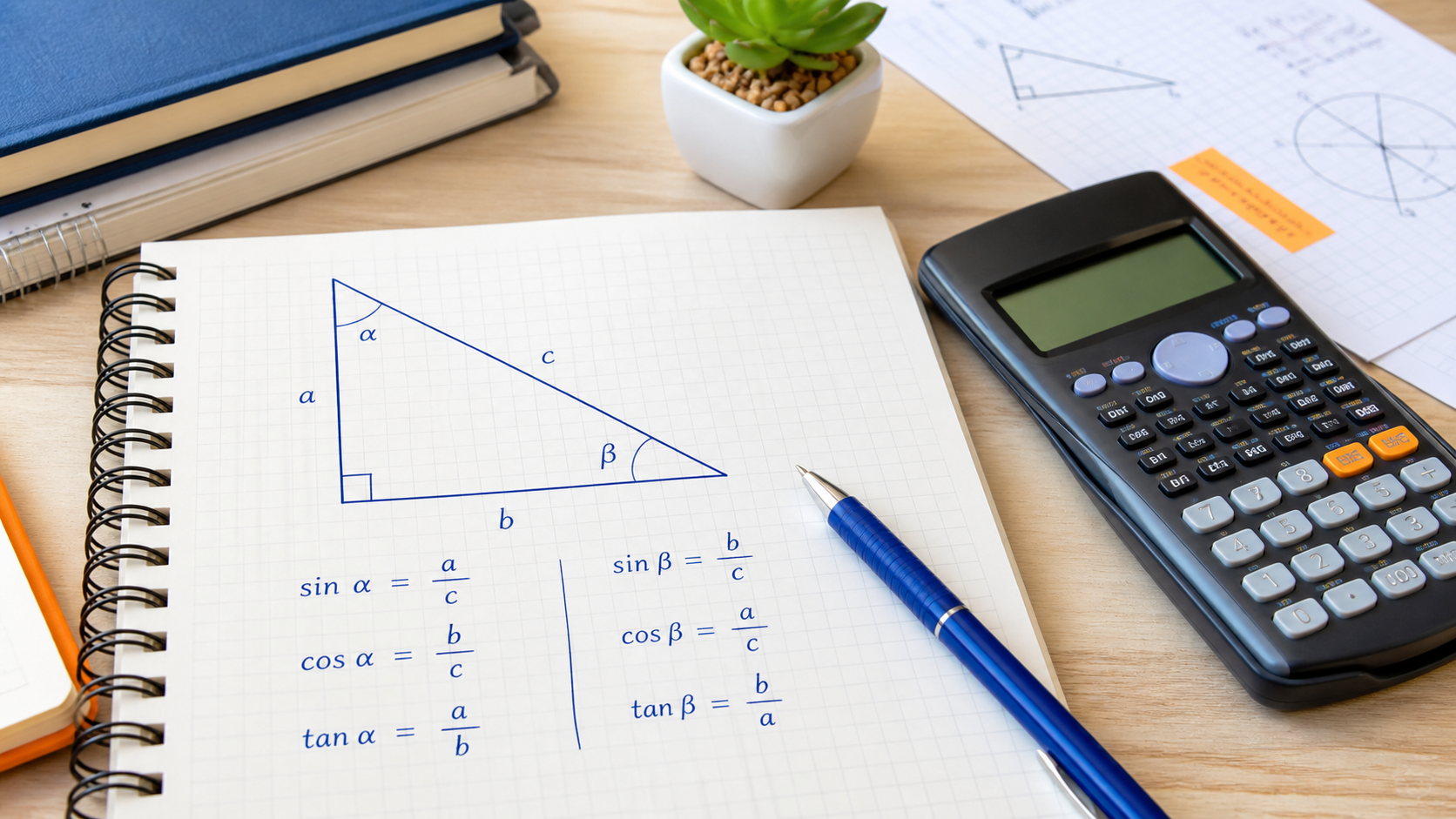
Quick Answer
sin θ = opposite / hypotenuse; cos θ = adjacent / hypotenuse; tan θ = opposite / adjacentWhen to Use This
For a right triangle, the names opposite and adjacent depend on which acute angle you choose. The hypotenuse is always opposite the right angle. Draw those labels before choosing a calculator function.
Step-by-Step Method
- Identify the known angle and mark the side you want.
- Choose the ratio containing the known and unknown sides.
- Set DEG if the given angle uses degrees; use RAD for a value in radians.
- Multiply or divide the ratio to isolate the missing side, then include its length unit.
Calculator Tips and Limits
- The focused trigonometry calculator returns function ratios; use the main calculator for a later multiplication by a side length.
- A ratio such as sine has no length unit; a calculated side retains cm, m or the original length unit.
- In the focused trigonometry tool, enter approximately 0.5235987756 and choose Radians. For the expression sin(pi/6), use the main scientific calculator.
Worked Examples
Find a side from 30 degrees
A right triangle has hypotenuse 10 cm and angle 30°. In DEG mode, sin(30) = 0.5. Since opposite/10 = 0.5, the opposite side is 10 × 0.5 = 5 cm. It is shorter than the hypotenuse, as required.
The same angle in radians
30° equals π/6 radians. In RAD mode, sin(π/6) = 0.5 as well. Typing 30 while leaving RAD selected asks about 30 radians, not 30 degrees.
Common Mistakes
Confusing sine with inverse sine
sin takes an angle and returns a ratio. asin takes a ratio and returns an angle.
Treating tan(90°) as a huge finite answer
Cosine is zero there, so the tangent ratio is undefined. Floating-point approximations close to 90° can produce very large numbers.
FAQ
Can these side ratios be used for any triangle?
The direct opposite/adjacent/hypotenuse definitions here require a right triangle. Other triangles need additional methods such as the sine or cosine rule.
Why is sin(30) not 0.5 on my screen?
First check the angle mode. The expected 0.5 uses 30 degrees, which is π/6 radians.
References and corrections
OpenStax: Algebra and Trigonometry 2e — further reading. The worked examples on this page are CalcSolver explanations. Read our calculation and correction method, or report an error with the input and expected result.